

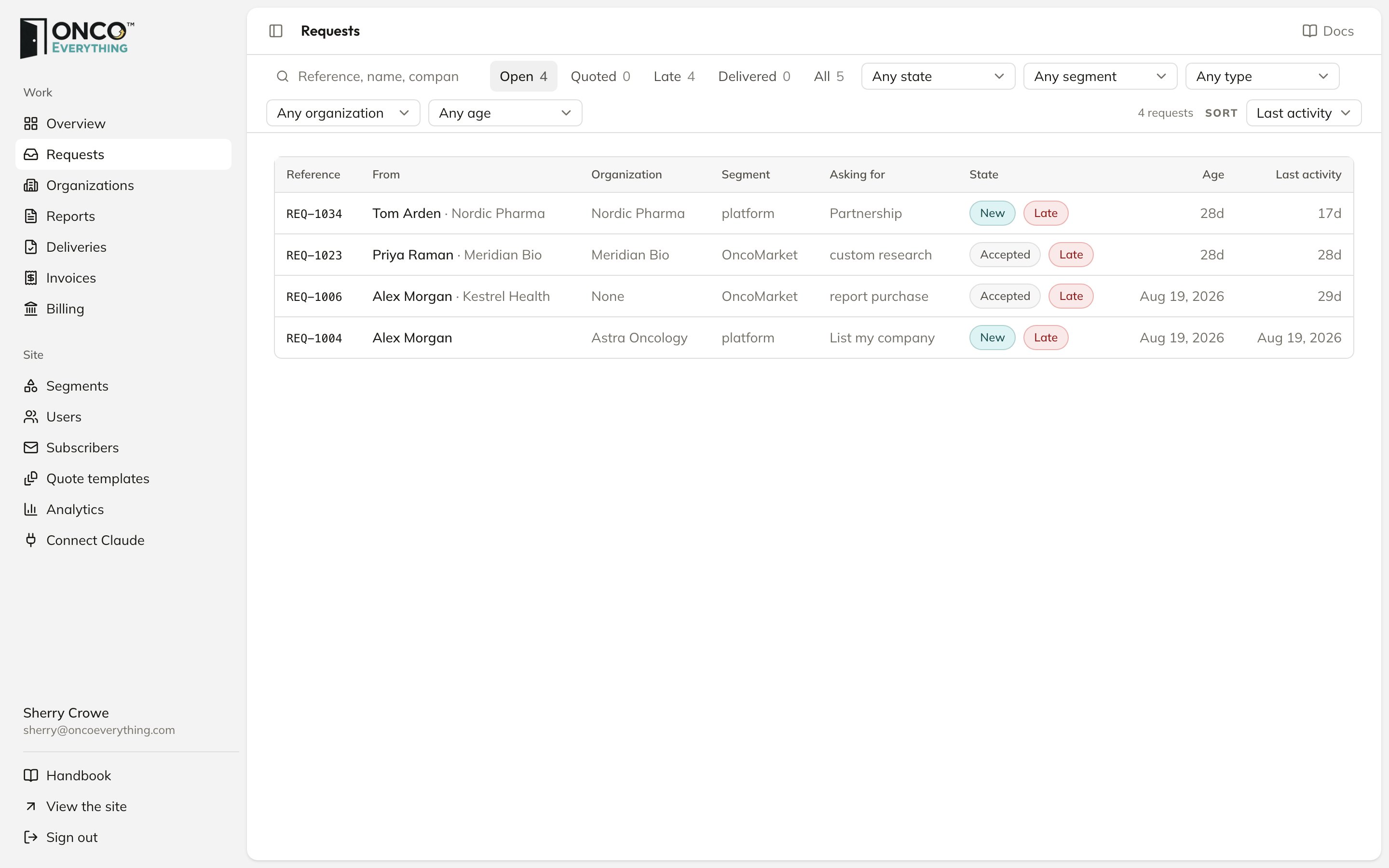
The queue
REQ-1042. You also get an email for each new request, with the subject “REQ-1042: … request from …” and a button that opens it.
Views
The links above the list switch between views. Each shows a count.Find a request
- Search by reference, name, company, email or any words in the message.
- Filter with the Any state, Any segment, Any type, Any organization and Any age menus.
- To find requests that have no organization, select No organization.
- Sort by Last activity (the default) or Received.
States
A request moves through these states. The table shows who it waits on, and how long it can wait before it is marked Late.The times in the Late column are starting values. Tell us your target times and we change them.
What moves a request
The platform makes three moves automatically:- A new form submission starts as New.
- When you send a quote, the request moves to Quoted.
- When the buyer accepts the quote, the request moves to Accepted. The platform sets its due date to today plus the quote’s delivery days.
How Late works
A request is Late when its due date has passed, or when it has stayed in one state longer than the time in the table. A request in Delivered, Closed, Declined or Lost is never Late.- A state change resets the time in that state. A new note does not.
- Late is only a red flag in the list. Nobody gets an email about it.